TL;DR
- Use
@to tell the Agent exactly what to work on. - Add Rules for consistent behavior.
- Use Workflows when tasks repeat.
Using @ to give context
While the Agent can search through your codebase on its own, finding the right files in a large project is not always easy.
That is why you should explicitly guide the Agent. The simplest and most important tool for this is
@.@ points the Agent directly to a file/directory/rule (within or outside the workspace) to include into the context.
This helps the Agent:- focus on the right thing
- avoid unrelated files
- produce clearer plans and safer changes
Instead of writing:
prompt
Fix the login logic.Write:
prompt
Fix the login logic in @auth.ts in @workspace-name.
Only change this function.
Explain your plan before editing.
What usually happens next:
- The Agent reads only
auth.tswithin the given workspace - It explains what it plans to do
- It waits for your confirmation
Rules vs. Workflows
To avoid repeating yourself with the same instructions when running repetitive tasks, you can use Rules to define persistent project standards and constraints, and Workflows for repeatable, multi-step tasks that follow a specific sequence.
Rules: guiding the Agent’s behavior
Rules are manually defined constraints that tell the Agent how it should behave.
Rules are useful when you want consistency in:
- coding style
- technology stack
- safety boundaries
What rules look like
A Rule is simply a Markdown file (.md) that describes constraints for the Agent.
Examples:
- Always use TypeScript
- Ask before editing files
- Only change files inside src/
Where rules live
Global Rules
- Location:
~/.gemini/GEMINI.md - Applied across all workspaces
Workspace Rules
- Location:
.agent/rules/ - Applied only to the current project
Rules files are limited to 12,000 characters.
How rules are activated
Rules can be applied in different ways:
- Always On: always applied
- Manual: activated using an @ mention
- Model Decision: the Agent decides when to apply it
- Glob-based: applied to matching files (for example
src/**/*.ts)
Rules can also reference files using
@filename inside the rule itself.Standardizing Context with agents.md
While Rules are great for specific constraints,
agents.md is the "README for Agents".It is an open standard that allows you to define the high-level context of your project in a single file.
- Location: Root of your repository (
/agents.md). - Purpose: To help any agent (Antigravity, Cursor, Codex, etc.) understand what your project is about, how to build it, and where the key files are.
- Benefit: You don't need to explain the project structure every time you start a new session.
Workflows: guiding the Agent's steps
Workflows define a sequence of steps for the Agent to follow.
If Rules guide behavior, Workflows guide process.
Workflows are useful for:
- repetitive tasks
- multi-step processes
- structured operations
Workflows are saved as Markdown files and can be run using a slash command.
prompt
/workflow-nameAgent-generated workflows
You do not always need to write workflows yourself.
You can ask the Agent to generate one for you based on what you just did.
Example: asking the Agent to create a workflow
prompt
I have just set up a Python environment for data visualization.
Create a reusable workflow for this process and name it `setup-dataviz`.
The Agent may generate a workflow that:
- checks for Python
- creates a minimal environment
- installs only visualization libraries
- confirms readiness
You can then reuse it later by typing:
prompt
/setup-datavizThis is especially useful after you notice yourself repeating the same steps.
Rules and workflow can be managed through the editor's agent panel by clicking on the
... and then Customizations.Codex Automations/Workflows
Codex provides a simple click-and-play modules (Automations) for running repetitive tasks.
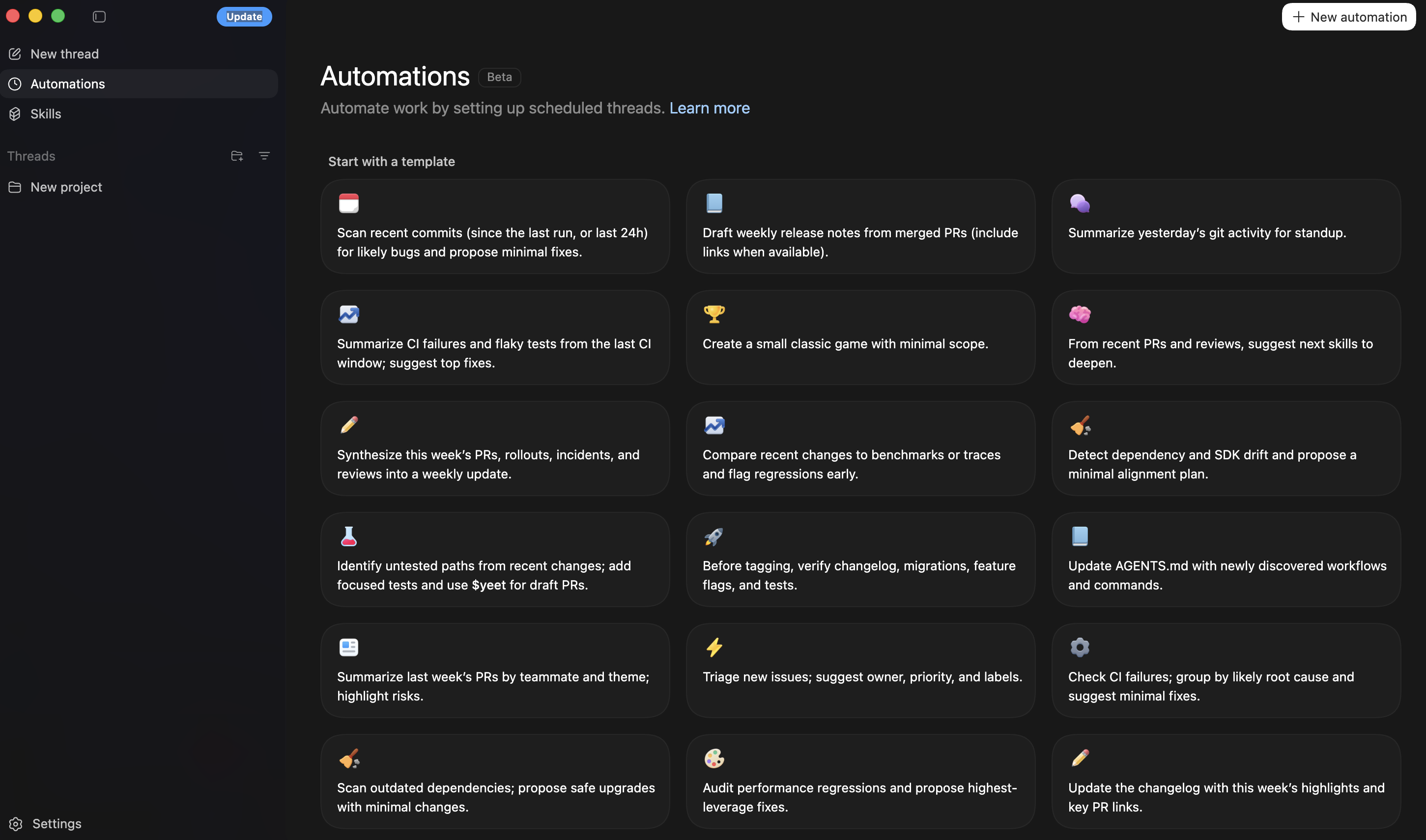
Codex automations
What you may see appear automatically
As the Agent works, it may create artifacts to help you understand what it is doing.
Task List
A live checklist showing what the Agent is currently working on.
This helps the Agent stay organised during complex tasks.
Implementation Plan
A proposed plan describing what files will change and how.
You can review it, leave comments, or proceed.
Walkthrough
A short summary created after the work is finished.
It explains what changed and where.
These artifacts exist to keep you informed and in control.