Skills bundle instructions + scripts + references the Agent can load on demand so it works with project-specific rules.
1. What and why
- What: A folder with SKILL.md (when/how to use) plus optional scripts/resources.
- Why: Repeatable, discoverable behaviors without re-prompting every time.
- When: You want consistent, reusable behavior beyond a one-off prompt.
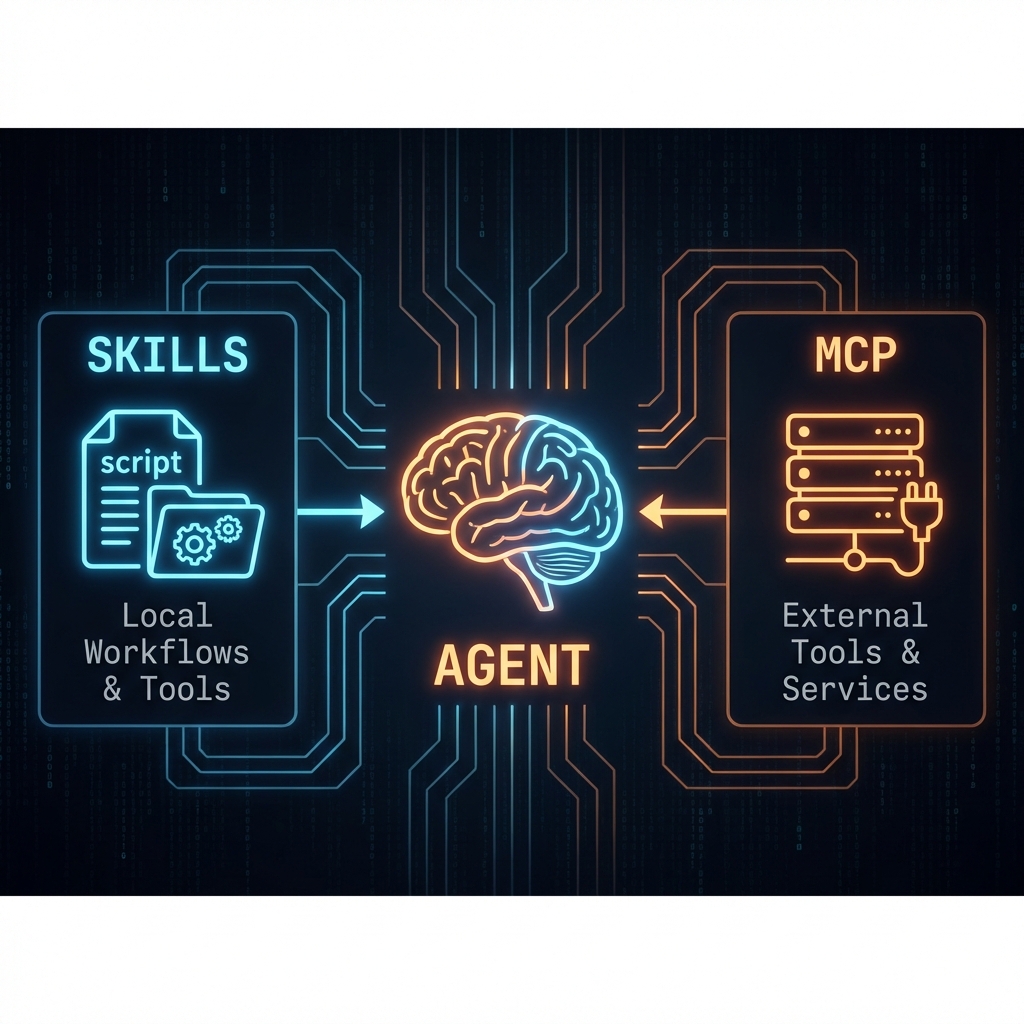
Skills vs MCP diagram (Created with Nano Banana)
2. Typical Skill Directory Structure
Different IDEs have different ways of structuring/storying the skills (including global vs. workspace-specific skills), but a typical skill directory structure looks like this:
text
skill-name/
├── SKILL.md (required)
│   ├── YAML frontmatter metadata (required)
│   │   ├── name: (required)
│   │   └── description: (required)
│   └── Markdown instructions (required)
├── agents/ (recommended)
│   └── openai.yaml - UI metadata for skill lists and chips
└── Bundled Resources (optional)
    ├── scripts/          - Executable code (Python/Bash/etc.)
    ├── references/       - Documentation intended to be loaded into context as needed
    └── assets/           - Files used in output (templates, icons, fonts, etc.)
Refer to the official documentation of your specific stack for more information.
Generate a skill with the Agent
To simplify the complexity of creating a skill, you can ask the Agent to create a skill for you (e.g., "data-cleaner"):
prompt
Create a new skill named "data-cleaner".
Include a Python script for cleaning CSVs (removing whitespace and normalizing headers) and a SKILL.md with usage instructions.
3. Example Minimal SKILL.md
This is a minimal SKILL.md for a skill that cleans CSVs:
markdown
---
name: csv-cleaner
description: Clean CSVs by trimming whitespace and normalizing headers.
version: 1.0.0
---

# CSV Cleaner Skill
- Use scripts/clean_csv.py for consistent rules.
- Always output to cleaned/ directory.
4. How the Agent uses a skill (3 steps)
- At the start of a conversation, the agent is aware of all available skills, including their names and descriptions.
- If the task matches a skill, the agent loads and reads the full
SKILL.mdto understand how to use it. - The agent applies the skill's instructions directly while completing the task.
If the csv-cleaner skill is installed, the agent will use it to clean the CSV:
prompt
Clean all the CSV files in data/ and save to cleaned/. Indicate the command you run.Agent may reply:
agent
Skill matched: csv-cleaner.
Running: python scripts/clean_csv.py data/*.csv cleaned/
Output saved to cleaned/*.csv
Codex provides a set of off-the-shelf skills that can be used to perform various tasks.
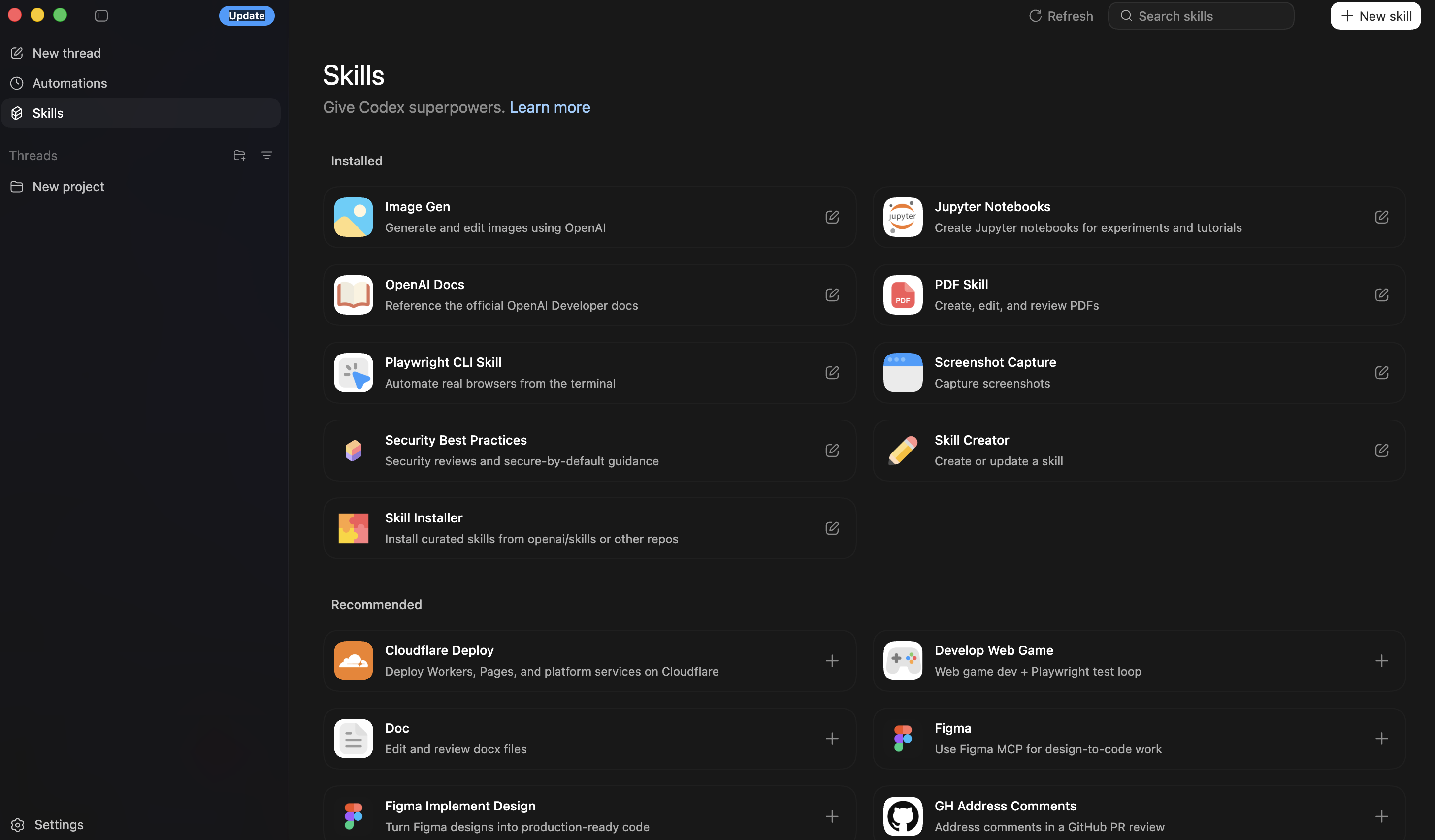
Codex Skills
5. Skills vs. MCP (at a glance)
Skills (Internal Workflow Automation)
- Definition: Reusable, prompt-triggered capabilities that package context and rules.
- Best For: Consistent, repeatable workflows inside your workspace (e.g., analysis, refactoring, report generation).
- Key Insight: Skills act as "macros" for the LLM, ensuring it adheres to specific conventions or style guides without needing to be retold every time.
MCP (Model Context Protocol) (External Connectivity Standard)
- Definition: A standard interface for connecting the agent to external systems (databases, file stores, APIs).
- Best For: Tasks relying on live data, external state, or real-world actions.
- Key Insight: MCP solves the "context isolation" problem, allowing the agent to bridge the gap between the chat window and your actual infrastructure (GitHub, PostgreSQL, Linear, etc.).
| Feature | Skills | MCP (Model Context Protocol) |
|---|---|---|
| Primary Role | Optimization & Consistency | Connectivity & Access |
| Context Source | Pre-defined prompts & rules | Live external data & tools |
| Best For | Repeated tasks (Linting, Formatting) | Fetching info (Git, SQL, Drive) |
| Analogy | A specialized employee handbook | A USB-C port for AI applications |