Goal: build a small academic-style web app that visualises a real dataset.
You will not write code manually. You will prompt the agent to do everything.
- Downloads a real dataset programmatically
- Explains the dataset
- Displays a table preview
- Shows an interactive scatter plot
- Allows feature selection and class colouring
Step 1: Prompt the Agent
prompt
I want to build a small academic data visualisation web app.

Requirements:
- Use Python
- Download a real dataset programmatically (use the Iris dataset from scikit-learn)
- Build a simple web app (Streamlit is acceptable)
- Show:
  1. Dataset description
  2. Table preview of the data
  3. Interactive scatter plot
- Allow the user to choose X and Y features
- Colour points by class label

Before coding:
1. Explain your plan briefly
2. List the files you will create
Then provide the full code.
Step 2: Agent Solution
The following code is the complete, runnable solution generated by the agent, written using python streamlit.
Step 3: Run and Verify
Assume the environment is setup correctly, otherwise ask the agent to install the required packages. The app can be run using the following command:
terminal
streamlit run [filename].py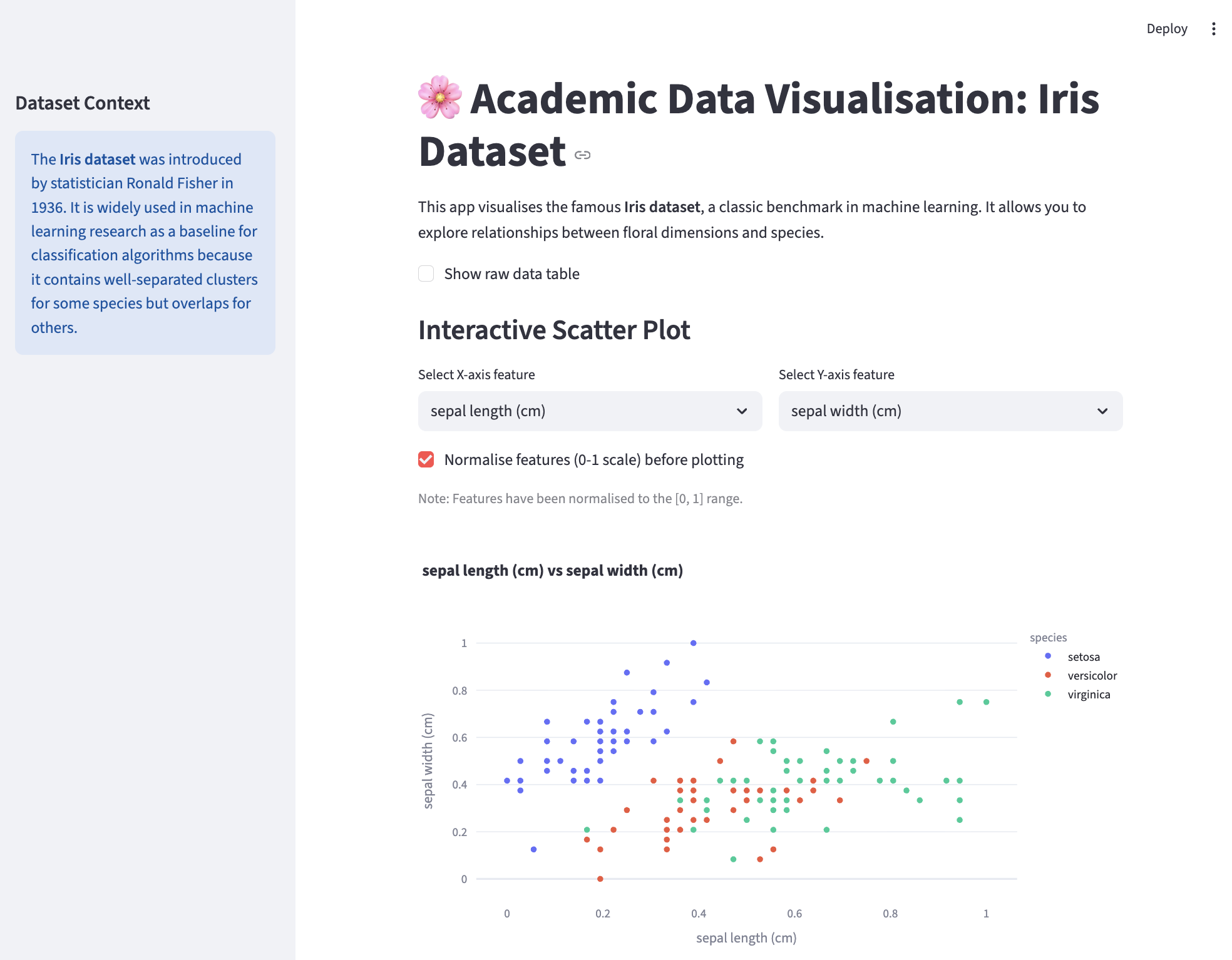
Agent generated app
Step 4: Further Modifications
If you want to add more features, you can prompt the agent to modify the app by adding more widgets and functionality.
prompt
I want to add more features to the app, such as:
- Add more widgets to the app to explore the dataset
- Add more visualisations of different types to the app
A quick look at the app in action